
YAML Editor
Overview
An EditorWindow for editing Wiener YAML files directly from Unity Editor.
The Unity Asset version supports local Excel input and Google Sheets URLs in header.input_path.
Launch
Open via Tools > Wiener > Open Yaml Editor in the menu bar.
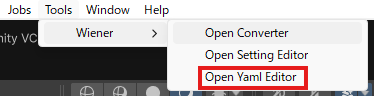
Screen
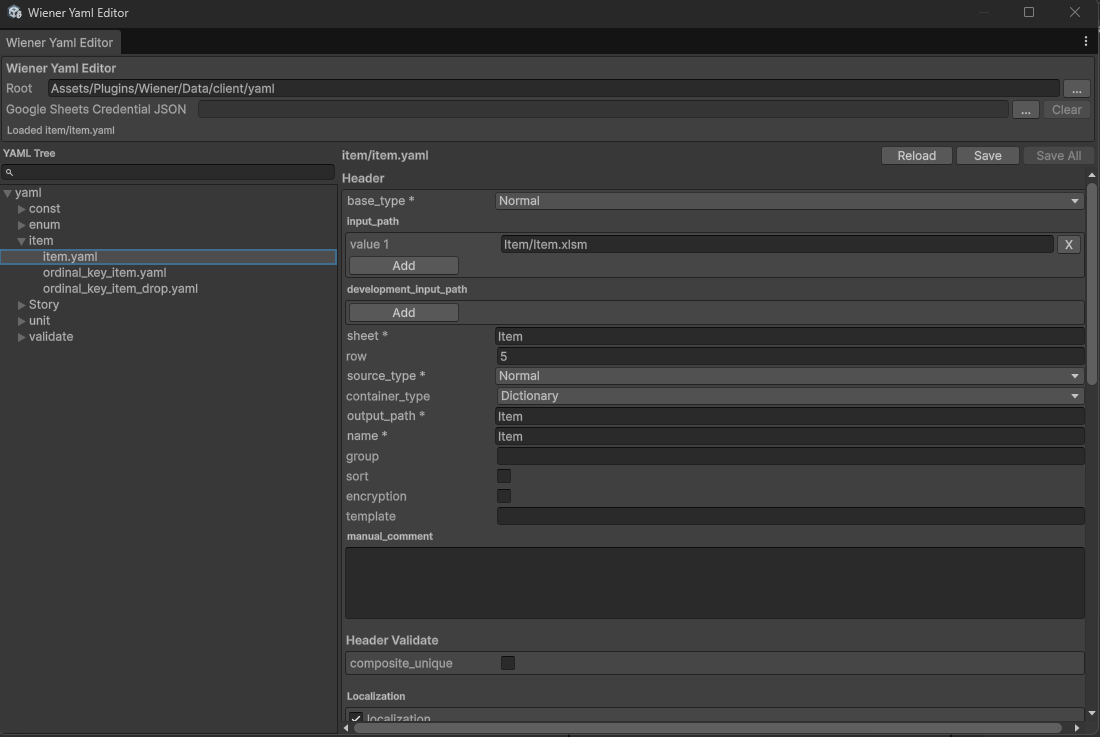
Window Layout
| Area | Description |
|---|---|
| Toolbar | Root folder selection and status display |
| YAML Tree | Folder/file tree view with search |
| Editor Pane | Edit Header / Fields / Multi YAML Action |
| Preview Pane | Live text preview of the YAML being edited |
Toolbar

Root Folder
Specifies the root directory for YAML files.
Default: Assets/Wiener/Data/client/yaml
Click ... to open a folder dialog and change it.
Google Sheets Credential JSON
Specifies the service account credential JSON file used to read Google Sheets.
See Google Sheets Input setup for how to create the credential JSON file.
Click ... to select a JSON file.
Click Clear to remove the selected path.
YAML Tree
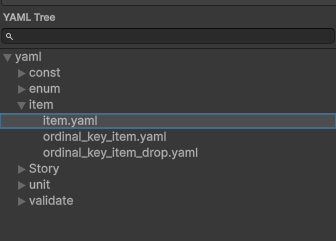
The left pane shows YAML files organized by folder.
- Select a file: Click to select and edit in the right pane
- Search: Type in the search field above the tree to show only matching YAML files. Parent folders are kept visible, so the folder structure remains readable after filtering.
Right-click Menu
| Action | Description |
|---|---|
| New | Creates a new YAML file in the selected folder |
| Create From Input | Auto-generates Header and Fields from an Excel or Google Sheets sheet |
| Rename | Renames the file |
| Duplicate | Duplicates the file |
| Open External | Opens the file in the associated editor |
| Delete | Deletes the file (confirmation dialog shown) |
Create From Input
Create From Input generates one YAML file from a selected Excel or Google Sheets sheet.
The Type Row accepts normal type names and Enum YAML names. To reference an Enum YAML, enter either its file name without the extension or its header.name. Only YAML files whose header.source_type is Enum are eligible, and matching is case-insensitive.
For example, if enum/item_type.yaml has header.name: ItemType, entering item_type or ItemType generates:
- key: ItemType
  name: item_type
  type: Foreignkey
  relation:
    yaml: enum/item_type.yaml
    from: From
    to: To
The generated from and to values preserve the actual From / from and To / to key names from the referenced Enum YAML. If no matching Enum YAML exists, the field is generated as type: String.
Header Editor
Edit the header: section of the YAML.
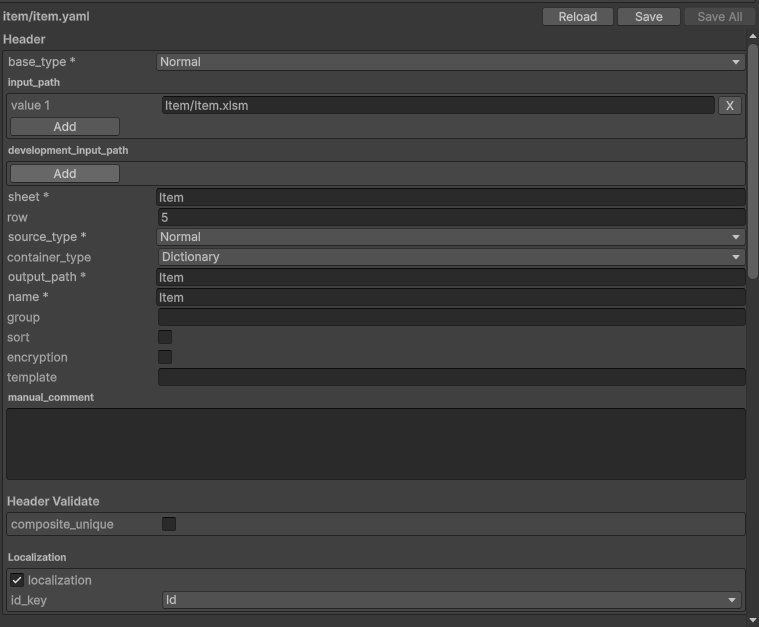
| Field | Description |
|---|---|
base_type | Normal / NoOutput / MultiYamlAction / ManualOnly |
input_path | List of local Excel input paths or Google Sheets URLs |
sheet | Sheet name |
row | Data start row |
source_type | Normal / Enum / Const / ConstSource |
container_type | List / Dictionary / DictionaryList / WienerDictionary / WienerDictionaryList |
output_path | Output folder name |
name | Output name (used as class name and file name) |
group | Group name (C# only) |
sort | Whether to sort by the first key |
encryption | Whether to obfuscate all fields |
template | PHP template file name |
manual_comment | Comment for manual output |
composite_unique | Composite unique check across multiple keys |
See Header Definition for details.
Fields Editor
Edit the fields: section of the YAML.
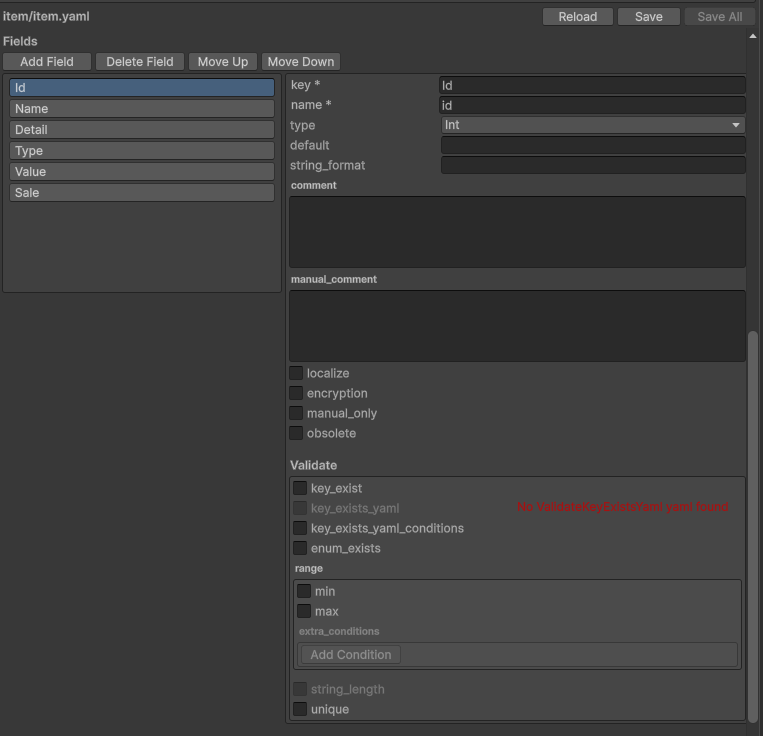
Field List Operations
| Button | Description |
|---|---|
| Add Field | Adds a new field |
| Delete Field | Deletes the selected field |
| Move Up / Move Down | Reorders fields |
Field Parameters
| Field | Description |
|---|---|
key | Field key name (becomes C# property name) |
name | Excel column name (snake_case recommended) |
type | Bool / Byte / Short / UShort / Int / UInt / Long / ULong / Float / Double / String / Enum / DateTime / Foreignkey |
default | Default value when cell is empty |
string_format | Number format string for text output |
comment | Comment written to source code |
manual_comment | Comment written to manual output |
localize | Whether the field is a localization target |
encryption | Whether to apply memory obfuscation |
manual_only | Whether to output to manual only (not to data) |
obsolete | Whether to mark the C# accessor as obsolete |
Relation (Foreignkey)
Shown when type is Foreignkey.
| Field | Description |
|---|---|
yaml | Path to the referenced YAML (selectable from dropdown) |
from | Key to search in the referenced YAML |
to | Key to use as the output value |
Enum
Shown when type is Enum.
| Field | Description |
|---|---|
enum | Enum name (matches name of a YAML with source_type: Enum) |
enum_value | Key to use as the enum value |
enum_comment | Key to use as the enum comment |
Validate
Validation settings per field.
| Field | Description |
|---|---|
unique | Duplicate check |
key_exist | Data existence check against a single YAML |
key_exists_yaml | Data existence check against multiple YAMLs |
key_exists_yaml_conditions | Conditional data existence check against multiple YAMLs |
enum_exists | Checks that all enum values are defined |
range | Value range check |
string_length | String length check |
See Fields Definition for details.
Multi YAML Action Editor
Shown instead of the Fields Editor when base_type: MultiYamlAction.
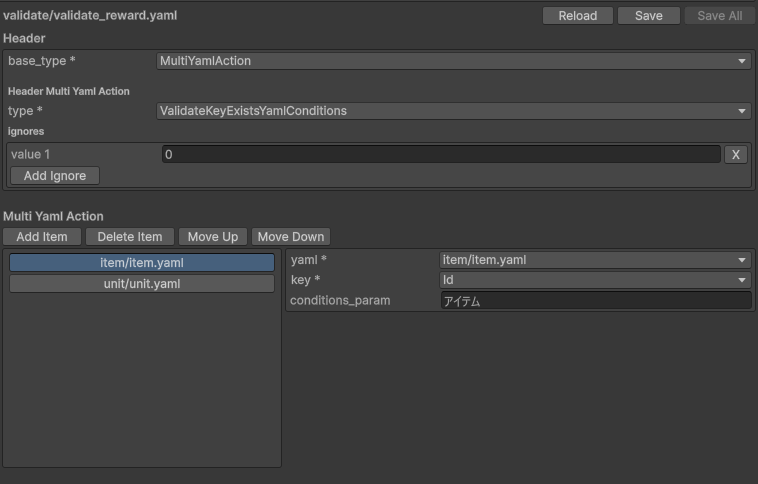
| Button | Description |
|---|---|
| Add Item | Adds a target YAML to the action |
| Delete Item | Deletes the selected item |
| Move Up / Move Down | Reorders items |
Each item specifies the YAML to reference and the key to check.
Preview Pane
Displays a real-time text preview of the YAML being edited. Text is selectable and copyable.
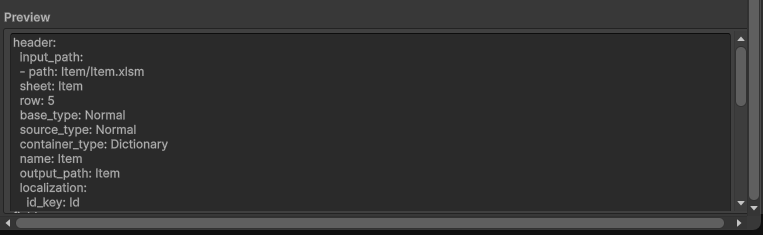
Toolbar Buttons
| Button | Description |
|---|---|
| Save | Saves the current file |
| Save All | Saves all files that have unsaved changes at once |
| Reload | Reloads the file from disk |
Keyboard Shortcuts
| Key | Action |
|---|---|
Ctrl + Z | Undo |
Ctrl + Shift + Z / Ctrl + Y | Redo |
Ctrl + S | Save |
Ctrl + Shift + S | Save All |
Ctrl + N | Create a new YAML file in tree |
Ctrl + D | Duplicate selected file in tree |
F2 | Rename selected file in tree |
Delete / Backspace | Delete selected file in tree |