
Setting Editor
The Unity Setting Editor is an EditorWindow for editing Wiener settings YAML files (settings/*.yaml) inside Unity Editor.
Overview
The Unity Asset version can open and edit settings YAML files in the Unity project. Saving rewrites the YAML using the same format as the Standalone SettingEditor.
The Unity Asset version does not include a Build Script field.
Launch
Open it from Tools > Wiener > Open Setting Editor.
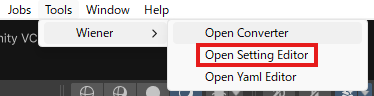
Screen
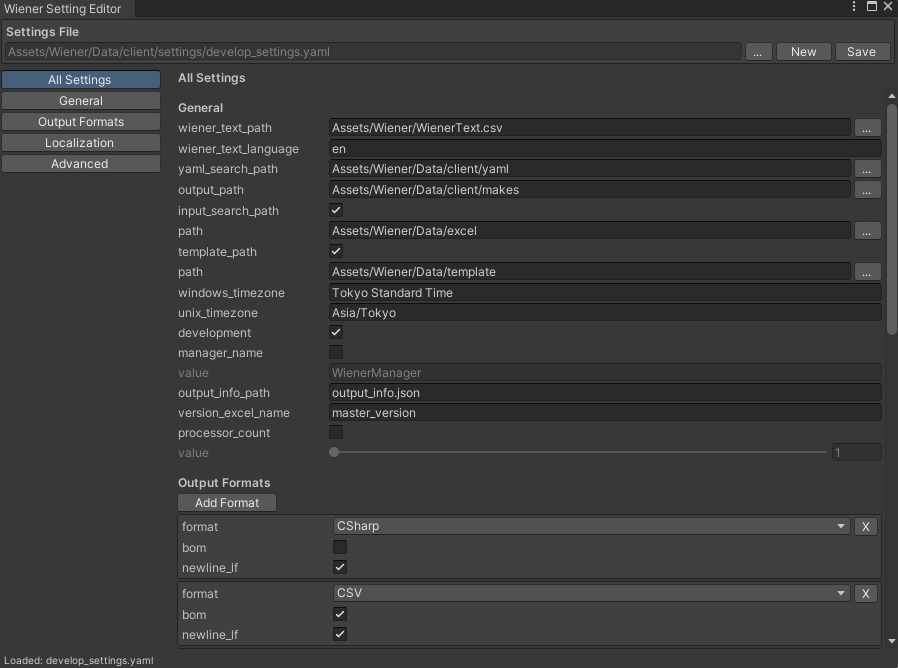
Initial File
The editor uses the following path as the initial candidate:
Assets/Wiener/Data/client/settings/develop_settings.yaml
If the file exists, it is loaded automatically.
Basic Operations

| Operation | Description |
|---|---|
... | Opens an existing settings YAML file. |
New | Creates a new settings YAML file. |
Save | Saves the current settings YAML file. |
When New is used, the editor fills default values equivalent to the Wiener Unity sample develop_settings.yaml. google_sheets.credential_path is not included in those defaults.
Path Input
When a file or folder under the Unity project's Assets folder is selected, the value written to the text field and YAML starts with Assets.
Example:
C:\MyUnityProject\Assets\Wiener\WienerText.csv
is stored as:
Assets\Wiener\WienerText.csv
Files and folders outside Assets are kept as absolute paths.
Window Layout
| Area | Description |
|---|---|
| Settings File | Shows the YAML file being edited. |
| Navigation | Switches between All Settings, General, Output Formats, Localization, and Advanced. |
| Editor | Edits the selected settings category. |
| YAML Preview | Shows the YAML that will be saved. |
| Status | Shows load and save status. |
General
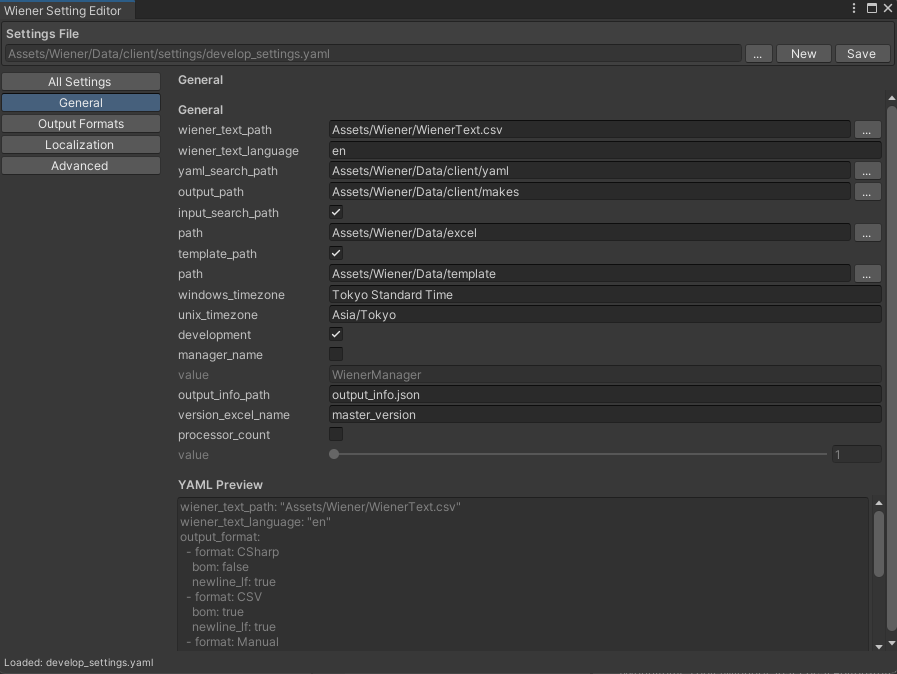
| Key | Description |
|---|---|
wiener_text_path | Path to WienerText.csv. |
wiener_text_language | Language name used from WienerText.csv. This setting switches the log messages output during conversion. |
yaml_search_path | Search path for YAML definition files. |
input_search_path | Search path for local Excel input files. |
output_path | Output directory for generated files. |
template_path | Template directory used by formats such as PHP. |
windows_timezone | Windows timezone name. |
unix_timezone | macOS / Linux timezone name. |
development | Enables development mode. |
namespace | Overrides the namespace for generated code. |
output_info_path | Output path for conversion result information. |
version_excel_name | Field name used for version output. |
processor_count | Fixed worker count for conversion. If omitted, Wiener uses the logical processor count of the runtime environment. |
Output Formats
Use Add Format to edit output_format, then set format, bom, and newline_lf.
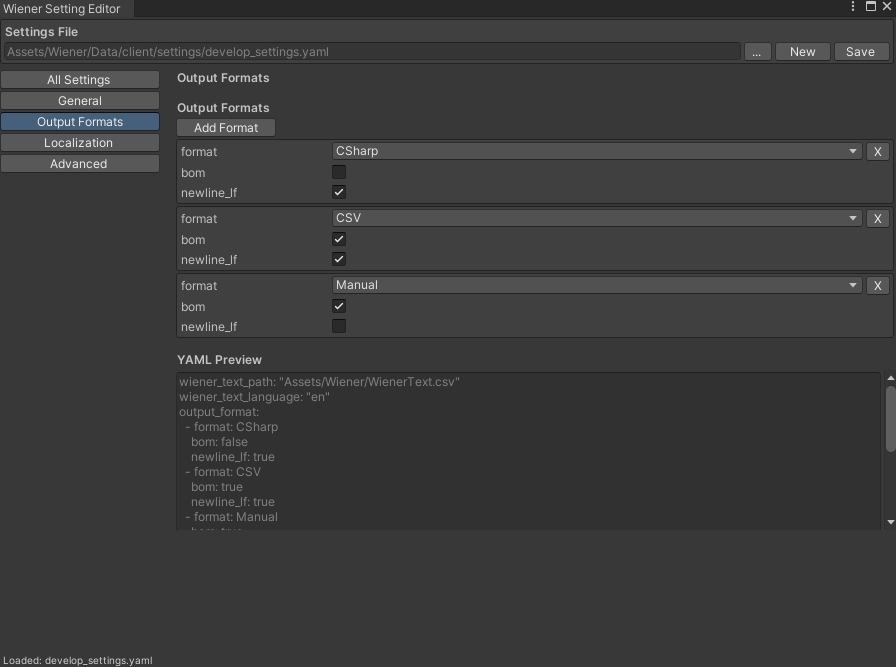
| Value | Description |
|---|---|
Binary | Binary output for Unity Asset version workflows. |
CSharp | C# code output. |
UE5 | Unreal Engine 5 code output. |
Json | JSON output. |
SQL | SQL output. |
CSV | CSV output. |
PHP | PHP class output. |
Manual | Manual HTML output. |
Localization
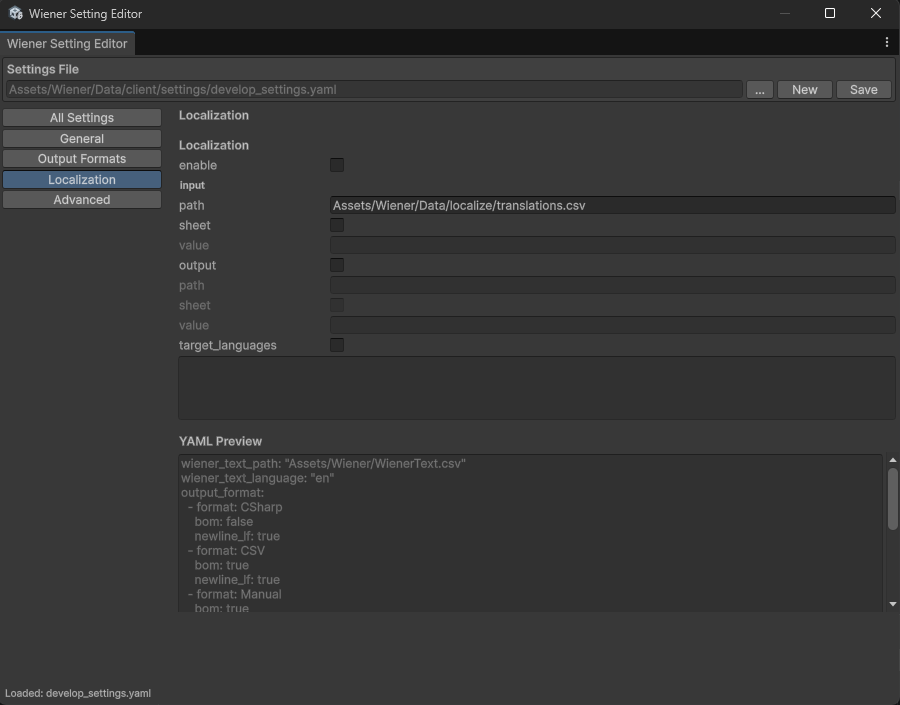
| Key | Description |
|---|---|
enable | Enables localization processing. |
input.path | Source path for translation data. CSV paths and Google Sheets URLs are supported. |
input.sheet | Sheet name when using Google Sheets. |
output.path | Destination path for translation data. |
output.sheet | Destination sheet name when writing to Google Sheets. |
target_languages | Limits untranslated checks in production mode to specific languages. |
Advanced
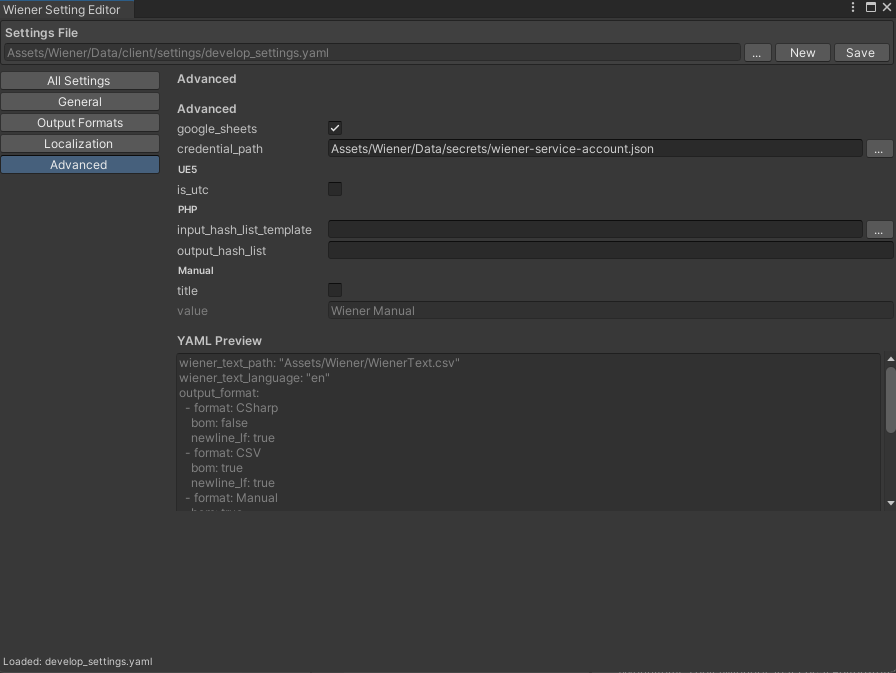
| Key | Description |
|---|---|
google_sheets.credential_path | Path to the Google service account credential JSON. |
ue5.is_utc | Treats DateTime output as UTC. |
php.input_hash_list_template | Template for PHP hash list output. |
php.output_hash_list | Output path for the PHP hash list. |
manual.title | Title for Manual output. |
Save Format
Saving rewrites the YAML in the same standard format as the Standalone SettingEditor.
- Comments are not emitted.
- Extra blank lines are not emitted.
- Boolean values are written as
true/false. - Optional unchecked fields are omitted from YAML.
For detailed settings semantics, see Settings.