WienerWiener
  • Introduction
  • Comparison
  • Pricing
  • FAQ
  • Use Cases
  • License
  • Unity Asset vs Standalone
  • Obfuscation & Tamper Detection
  • Mismatch Detection & Debug
  • Localization
  • Versioning
  • Google Sheets Input
  • Excel
  • YAML
  • Settings
  • Data Format
  • Convert
  • ValueOnly Format
  • Startup
  • Samples
  • Converter
  • YAML Editor
  • Setting Editor
  • 日本語
  • English
  • Introduction
  • Comparison
  • Pricing
  • FAQ
  • Use Cases
  • License
  • Unity Asset vs Standalone
  • Obfuscation & Tamper Detection
  • Mismatch Detection & Debug
  • Localization
  • Versioning
  • Google Sheets Input
  • Excel
  • YAML
  • Settings
  • Data Format
  • Convert
  • ValueOnly Format
  • Startup
  • Samples
  • Converter
  • YAML Editor
  • Setting Editor
  • 日本語
  • English
  • Excel

    • Excel Operations
    • Column A in a Data File
    • Add a New Enum

Add a New Enum

Overview

How to add a new enum to EnumBase.xlsx.

Sample

Add reward_type.

Open EnumBase.xlsx and copy an existing sheet.
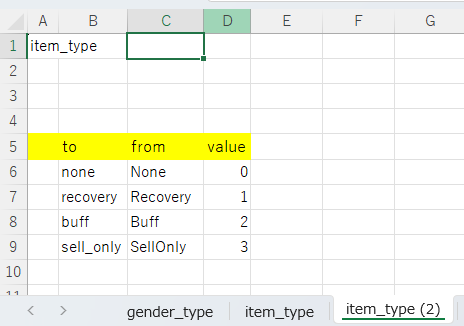
Image from alias

Edit the sheet name, A1, to, from, and value.
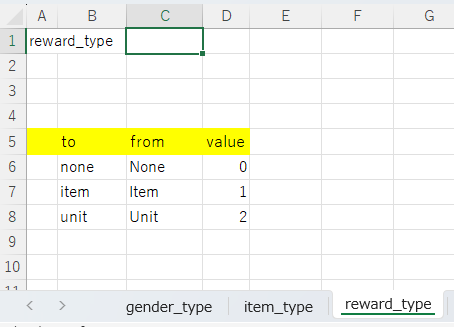
Image from alias

  • to: Write in English using snake_case
    • Converted to UpperCamel (C#) or UPPER_SNAKE_CASE (UE5/PHP) during conversion
  • from: The string entered in the data Excel file
    • English is recommended if the project supports multiple languages
    • If the target is a single country, that country's language is recommended
  • value: The value assigned to the enum

English Is Recommended for Multilingual Support
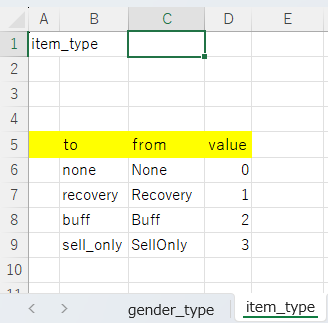
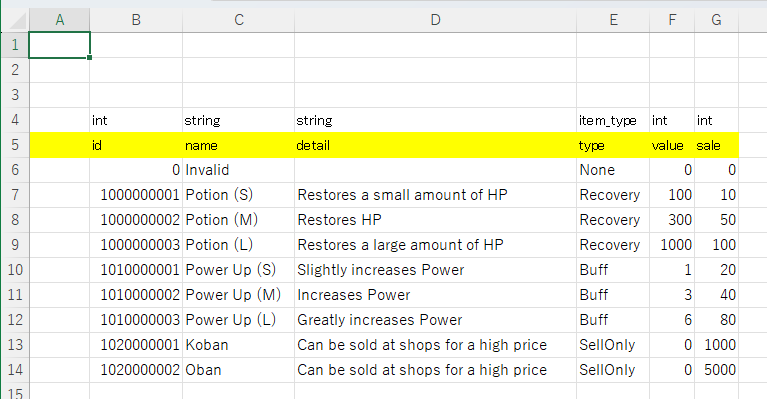
English enum input exampleEnglish enum output example

For Japanese-Only Support, You Can Use Japanese Enum Input in Excel
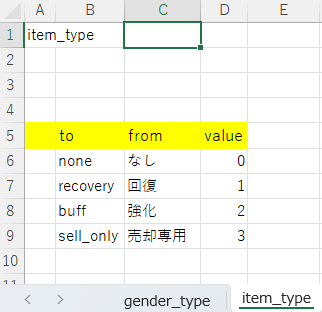
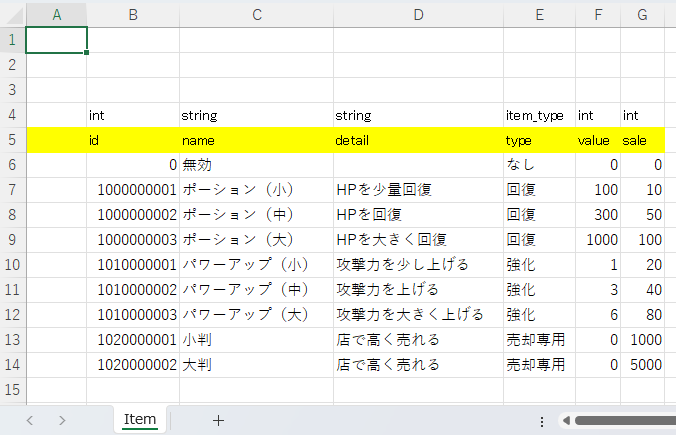
Japanese enum input exampleJapanese enum output example
Last Updated:: 6/10/26, 10:12 PM
Contributors: artisan-sawasaka
Prev
Column A in a Data File