Google Sheets Settings
Setup
First, open the Google Sheets Input setup steps and complete only "1. Google Cloud Setup."
The Unity Asset package includes a dummy wiener-service-account.json in the following location:
Assets/Wiener/Data/secrets/wiener-service-account.json
The dummy file contains only the message Please overwrite the Google Sheets credentials. It is not a valid credential.
To use Google Sheets input, overwrite this dummy file with the downloaded service account JSON key. If you save the credential to a different path, update google_sheets.credential_path in the settings YAML.
Assets
+-- Wiener
    +-- Data
        +-- client
        +-- excel
        +-- secrets
            +-- wiener-service-account.json
Registering the Credential in YamlEditor
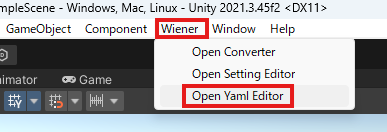
Open YamlEditor and register the file under "Google Sheets Credential JSON."