Create the Equipment Master
Preparation Before Starting the Sample
- Unity Startup is complete
- Create the Item Master is complete
- Create the Unit Master is complete
- Create the Reward Master is complete
Overview
This sample covers the following:
- Create equipment Static Game Data that can be used as rewards
- Add Equipment to the reward type enum
- Update the existing reward display code to support equipment rewards
Equipment Master Format
- id(int) ID
- name(string) Name
- rarity(enum:rarity_type) Rarity
- part(enum:equipment_part) Equipment part
- atk(int) Attack
- def(int) Defense
Rarity Enum
- Common
- Rare
- Epic
Equipment Part Enum
- Weapon
- Head
- Body
- Arm
- Leg
- Accessory
Reward Enum Addition
- Equipment
Steps:
- Create the Excel enum file
- Create the Excel data file
- Create YAML
- Convert
- Runtime check
Create the Excel Enum File
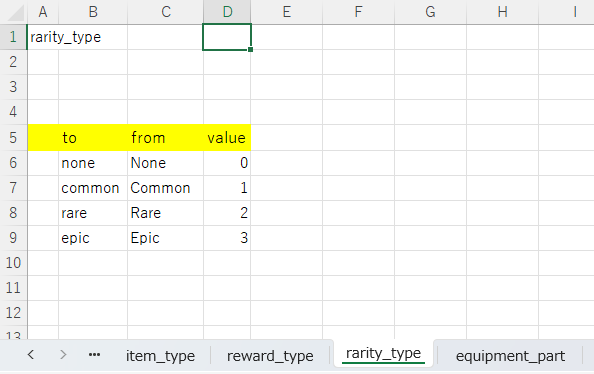
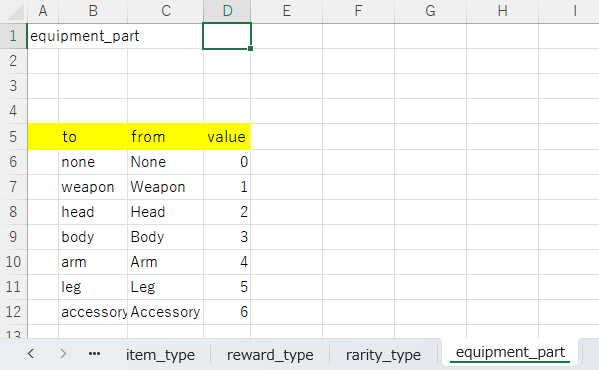
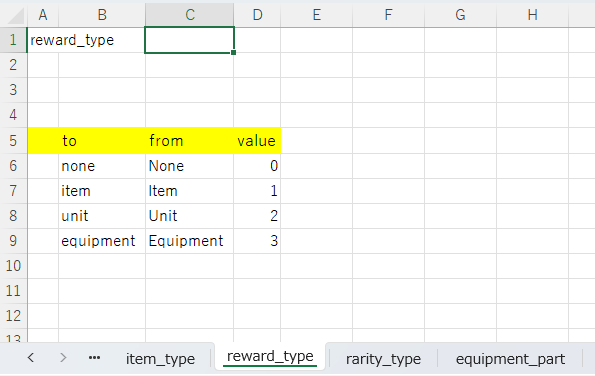
Edit EnumBase.xlsx by referring to Create the Excel enum file, and add definitions for rarity, equipment part, and reward type.
Assets/Wiener/Data/excel/EnumBase.xlsx
rarity_type
to	from	value
none	None	0
common	Common	1
rare	Rare	2
epic	Epic	3
equipment_part
to	from	value
none	None	0
weapon	Weapon	1
head	Head	2
body	Body	3
arm	Arm	4
leg	Leg	5
accessory	Accessory	6
reward_type
to	from	value
none	None	0
item	Item	1
unit	Unit	2
equipment	Equipment	3
Create the Excel Data File
Equipment.xlsx
In the Unity Asset version, place Excel files under Assets/Wiener/Data.
Assets/Wiener/Data/excel/Equipment/Equipment.xlsx
Assets
+-- Wiener
    +-- Data
        +-- client
        +-- excel
            +-- Const
            +-- Equipment
            |   +-- Equipment.xlsx
            +-- Item
            +-- Reward
            +-- Unit
            +-- EnumBase.xlsx
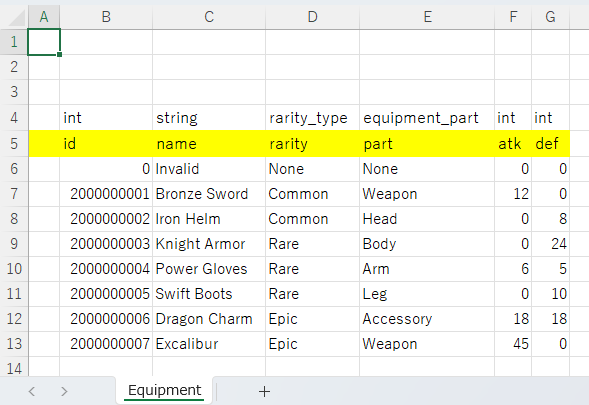
int	string	rarity_type	equipment_part	int	int
id	name	rarity	part	atk	def
0	Invalid	None	None	0	0
2000000001	Bronze Sword	Common	Weapon	12	0
2000000002	Iron Helm	Common	Head	0	8
2000000003	Knight Armor	Rare	Body	0	24
2000000004	Power Gloves	Rare	Arm	6	5
2000000005	Swift Boots	Rare	Leg	0	10
2000000006	Dragon Charm	Epic	Accessory	18	18
2000000007	Excalibur	Epic	Weapon	45	0
Reward.xlsx
Add data for equipment rewards.
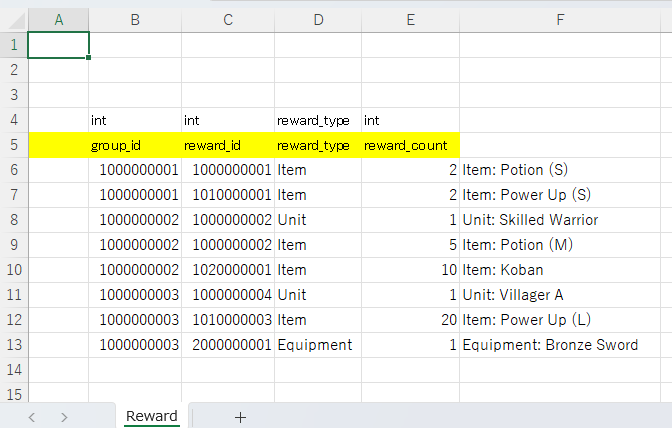
int	int	reward_type	int
group_id	reward_id	reward_type	reward_count
1000000001	1000000001	Item	2	Item: Potion (S)
1000000001	1010000001	Item	2	Item: Power Up (S)
1000000002	1000000002	Unit	1	Unit: Skilled Warrior
1000000002	1000000002	Item	5	Item: Potion (M)
1000000002	1020000001	Item	10	Item: Koban
1000000003	1000000004	Unit	1	Unit: Villager A
1000000003	1010000003	Item	20	Item: Power Up (L)
1000000003	2000000001	Equipment	1	Equipment: Bronze Sword
The comments in column F are memos for checking input. They have no type or column name in the header rows, so they are not imported as data.
Create YAML
Create YAML files with YamlEditor.
Open YamlEditor
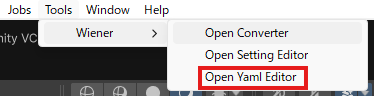
Select Tools > Wiener > Open Yaml Editor to open YamlEditor.
Create Enum YAML
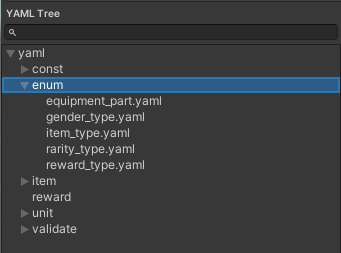
Right-click the enum folder in the left tree and select Recreate From Enum, then add the following YAML files.
- rarity_type.yaml
- equipment_part.yaml
- reward_type.yaml
Create the equipment Folder
Right-click the yaml folder in the left tree and select Create Folder, then create the equipment folder. 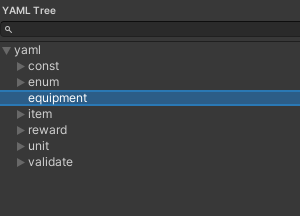
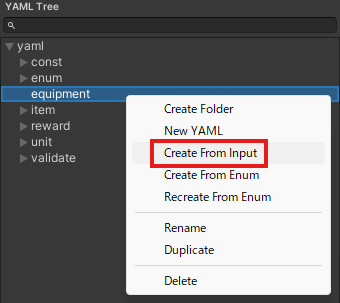
Create equipment.yaml
Right-click the equipment folder in the left tree and select Create From Input, then load Equipment.xlsx and create equipment.yaml.
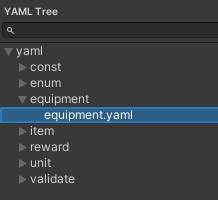
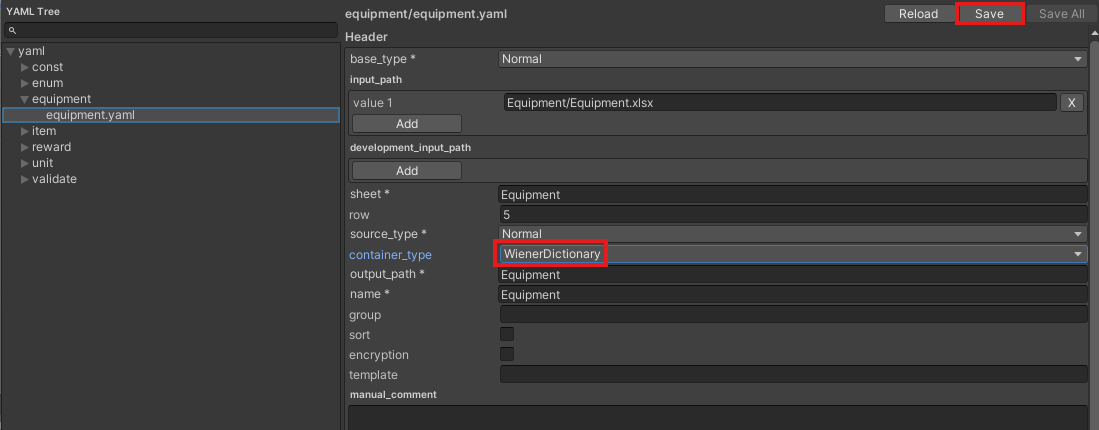
Change to WienerDictionary
Change container_type to WienerDictionary and press the Save button.
Convert
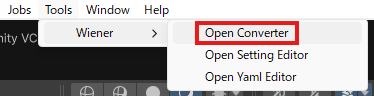
Open Converter
Select Tools > Wiener > Open Converter to open Converter.
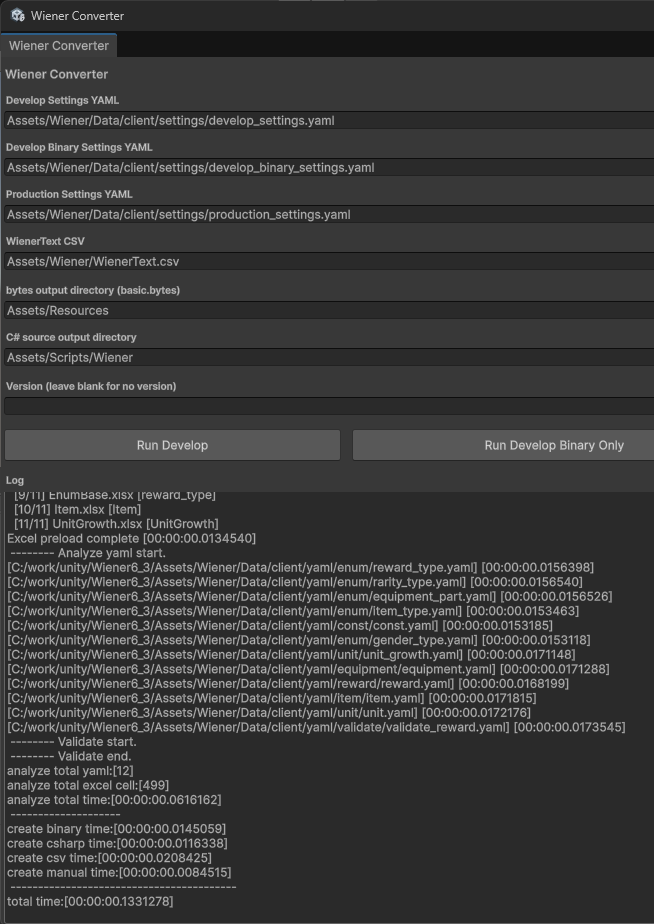
Run Conversion
Press Run Develop to run conversion and confirm that no errors occur.
Runtime Check
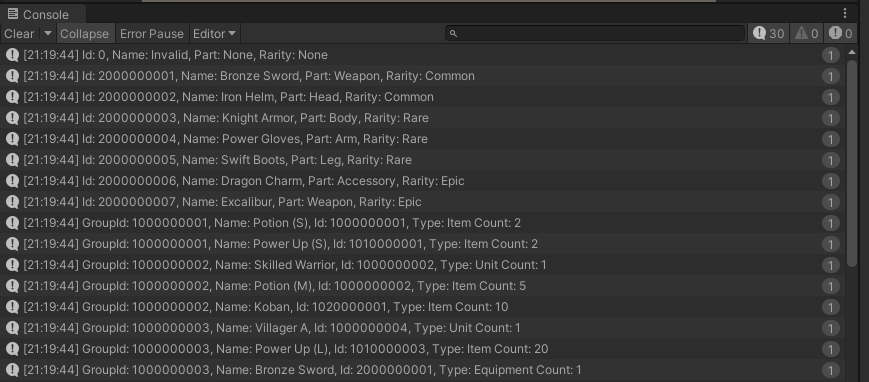
Create the following Reward.cs and Sample.cs scripts, attach them to the scene, and confirm that logs are output correctly.
Reward.cs
using Wiener;

namespace Wiener
{
    interface IRewardData
    {
        string Name { get; }
    }

    public partial class ItemData : IRewardData {}
    public partial class UnitData : IRewardData {}
    public partial class EquipmentData : IRewardData {}
}

public class Reward
{
    public int Id { get; private set; }
    public RewardType Type { get; private set; }
    public int Count { get; private set; }
    public string Name => _rewardData?.Name ?? "";

    private IRewardData _rewardData;

    public Reward(WienerManager wienerManager, int id, RewardType type, int count = 1)
    {
        Id = id;
        Type = type;
        Count = count;
        _rewardData = type switch
        {
            RewardType.Item => wienerManager.Item.TryGetValue(id, out var item) ? item : null,
            RewardType.Unit => wienerManager.Unit.TryGetValue(id, out var unit) ? unit : null,
            RewardType.Equipment => wienerManager.Equipment.TryGetValue(id, out var equipment) ? equipment : null,
            _ => null
        };
    }
}
Sample.cs
using UnityEngine;
using Wiener;

public class Sample : MonoBehaviour
{
    void Start()
    {
        var wm = new WienerManager();
        var textAsset = Resources.Load("basic") as TextAsset;
        var result = wm.LoadBasicPack(textAsset.bytes);
        if (result != Result.Success)
        {
            Debug.LogError($"Failed to load basic pack: {result}");
            return;
        }

        OutputEquipment(wm);
        OutputReward(wm);
    }

    void OutputEquipment(WienerManager wm)
    {
        foreach (var equip in wm.Equipment.Values)
        {
            Debug.Log($"Id: {equip.Id}, Name: {equip.Name}, Part: {equip.Part}, Rarity: {equip.Rarity}");
        }
    }

    void OutputReward(WienerManager wm)
    {
        foreach (var rewards in wm.Reward.Values)
        {
            foreach (var reward in rewards)
            {
                var r = new Reward(wm, reward.RewardId, reward.RewardType, reward.RewardCount);
                Debug.Log($"GroupId: {reward.GroupId}, Name: {r.Name}, Id: {r.Id}, Type: {r.Type} Count: {r.Count}");
            }
        }
    }
}
Result