ユニットマスターを作成する
サンプル開始前の準備
- Unityスタートアップが完了している
- アイテムマスターを作成するが完了している
概要
このサンプルでは、次の内容を扱います。
- Validate.KeyExistを用いてIDチェックを行う
- DictionaryList形式のマスターデータを作成する
ユニットマスターフォーマット
- id(int) ID
- name(string) 名前
- hp(int) 体力
- attack(int) 攻撃力
- defense(int) 防御力
- magic(int) 魔法力
- growth_pattern_id(int) 成長パターンID
ユニット成長マスターフォーマット
- growth_pattern_id(int) 成長パターンID
- level(byte) レベル
- hp_ratio(int) 体力倍率
- attack_ratio(int) 攻撃力倍率
- defense_ratio(int) 防御力倍率
- magic_ratio(int) 魔法力倍率
手順は次の通りです。
- Excelデータファイルの作成
- YAMLの作成
- コンバート
- 動作確認
- ID不整合のエラーを確認
Excelデータファイルの作成
Assets/Wiener/Data/excel/Unit/Unit.xlsx
Assets/Wiener/Data/excel/Unit/UnitGrowth.xlsx
Assets
+-- Wiener
    +-- Data
        +-- client
        +-- excel
            +-- Const
            +-- Item
            +-- Unit
            |   +-- Unit.xlsx
            |   +-- UnitGrowth.xlsx
            +-- EnumBase.xlsx
Unit.xlsx
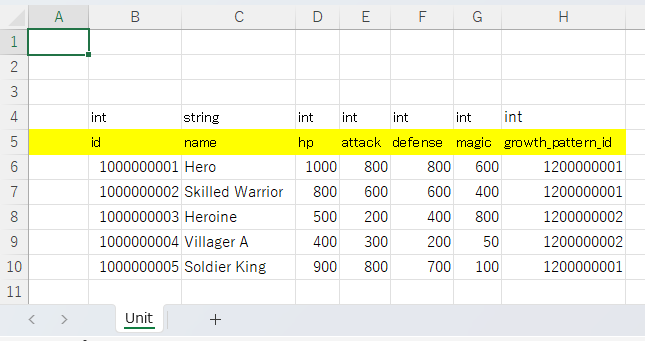
int	string	int	int	int	int	int
id	name	hp	attack	defense	magic	growth_pattern_id
1000000001	Hero	1000	800	800	600	1200000001
1000000002	Skilled Warrior	800	600	600	400	1200000001
1000000003	Heroine	500	200	400	800	1200000002
1000000004	Villager A	400	300	200	50	1200000002
1000000005	Soldier King	900	800	700	100	1200000001
UnitGrowth.xlsx
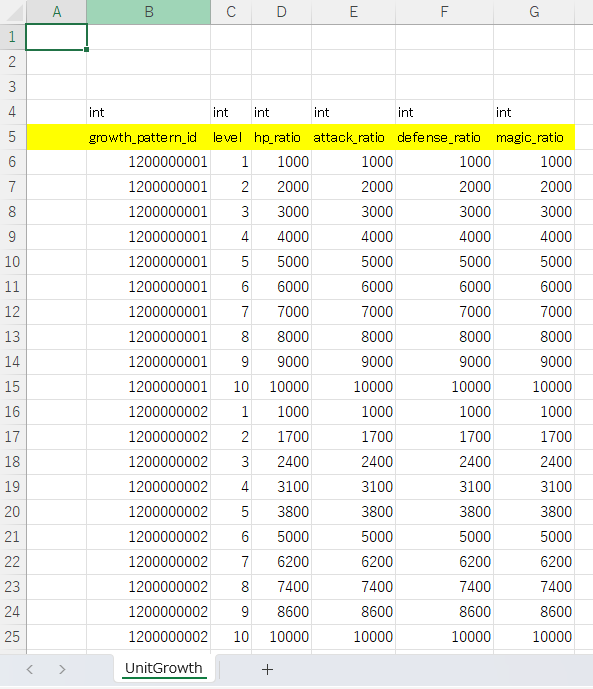
int	int	int	int	int	int
growth_pattern_id	level	hp_ratio	attack_ratio	defense_ratio	magic_ratio
1200000001	1	1000	1000	1000	1000
1200000001	2	2000	2000	2000	2000
1200000001	3	3000	3000	3000	3000
1200000001	4	4000	4000	4000	4000
1200000001	5	5000	5000	5000	5000
1200000001	6	6000	6000	6000	6000
1200000001	7	7000	7000	7000	7000
1200000001	8	8000	8000	8000	8000
1200000001	9	9000	9000	9000	9000
1200000001	10	10000	10000	10000	10000
1200000002	1	1000	1000	1000	1000
1200000002	2	1700	1700	1700	1700
1200000002	3	2400	2400	2400	2400
1200000002	4	3100	3100	3100	3100
1200000002	5	3800	3800	3800	3800
1200000002	6	5000	5000	5000	5000
1200000002	7	6200	6200	6200	6200
1200000002	8	7400	7400	7400	7400
1200000002	9	8600	8600	8600	8600
1200000002	10	10000	10000	10000	10000
YAMLの作成
YamlEditorを使用してYAMLを作成します。
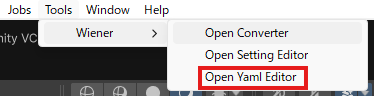
YamlEditorを開く
Tools > Wiener > Open Yaml Editorを選択してYamlEditorを開きます。
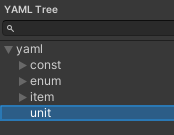
unitフォルダを作成
左のツリーのyamlフォルダを右クリックしてCreate Folderを選択し、unitフォルダを作成します。
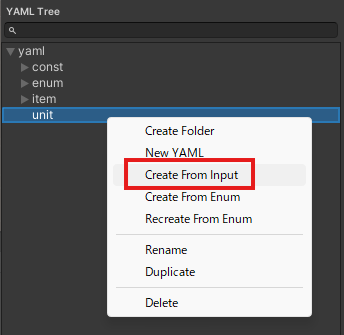
unit.yamlを作成
左のツリーのunitフォルダを右クリックしてCreate From Inputを選択してitemと同じようにExcelまたはGoogle Sheetsから読み込みます。
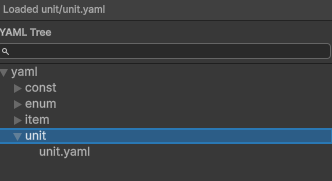
unit.yamlが作成されたことを確認
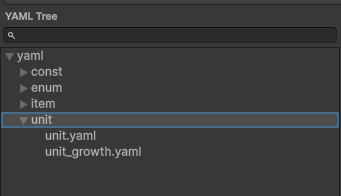
unit_growth.yamlを作成
unit.yamlと同じ手順でUnitGrowth.xlsxからunit_growth.yamlを作成します。
YAMLを編集
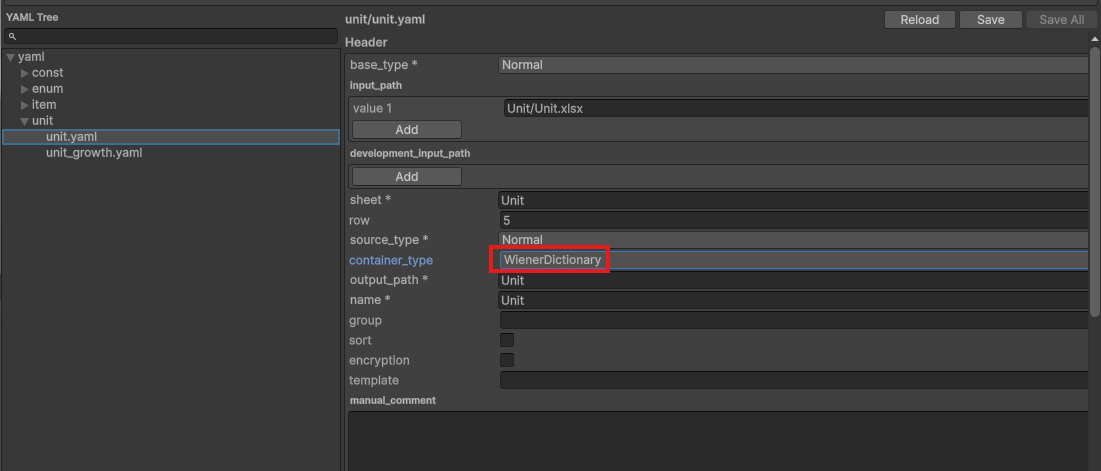
unit.yaml
header.container_typeをWienerDictionaryに変更します。
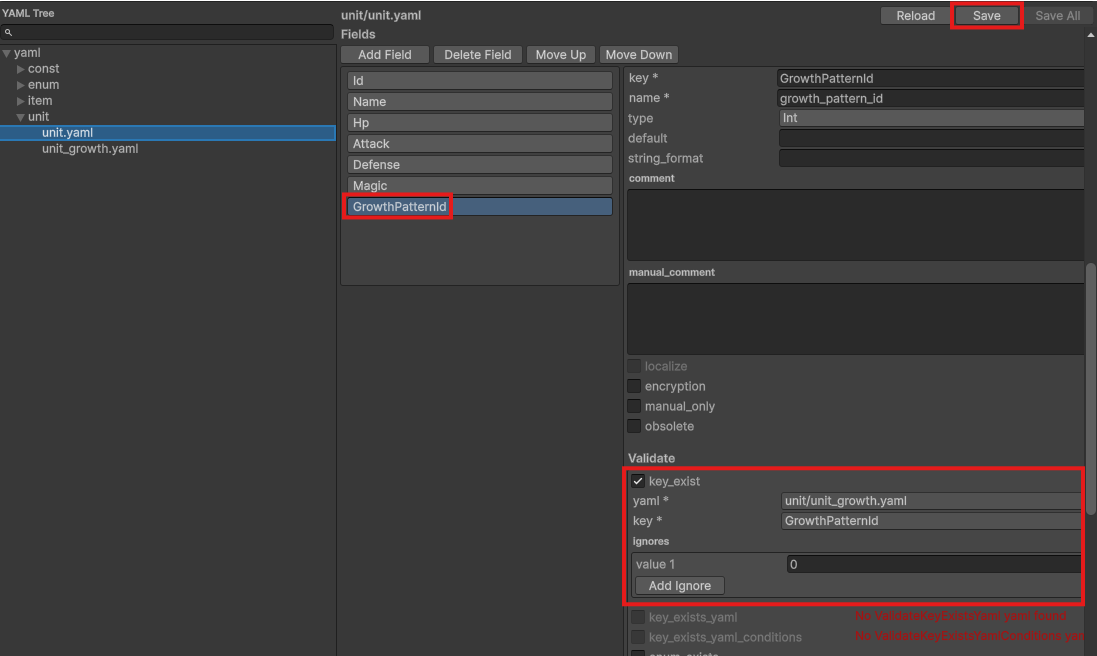
fields.validate.key_existを有効にして、growth_pattern_id が unit_growth.yaml に存在することをチェックします。
0は無効の値とするため、ignoresに追加してSaveボタンを押下します。
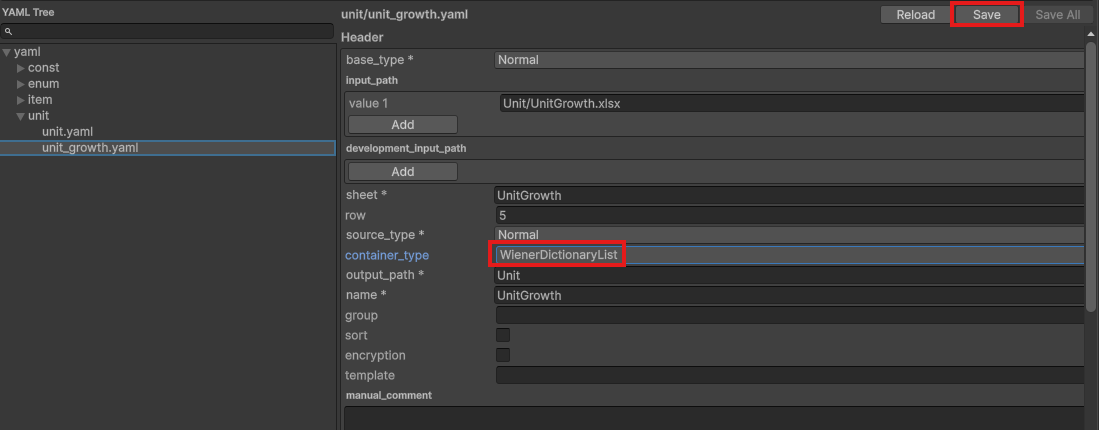
unit_growth.yaml
growth_pattern_id はグループIDとなるため、container_typeをWienerDictionaryListに変更してSaveボタンを押下します。
コンバート
コンバータを開く
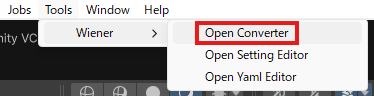
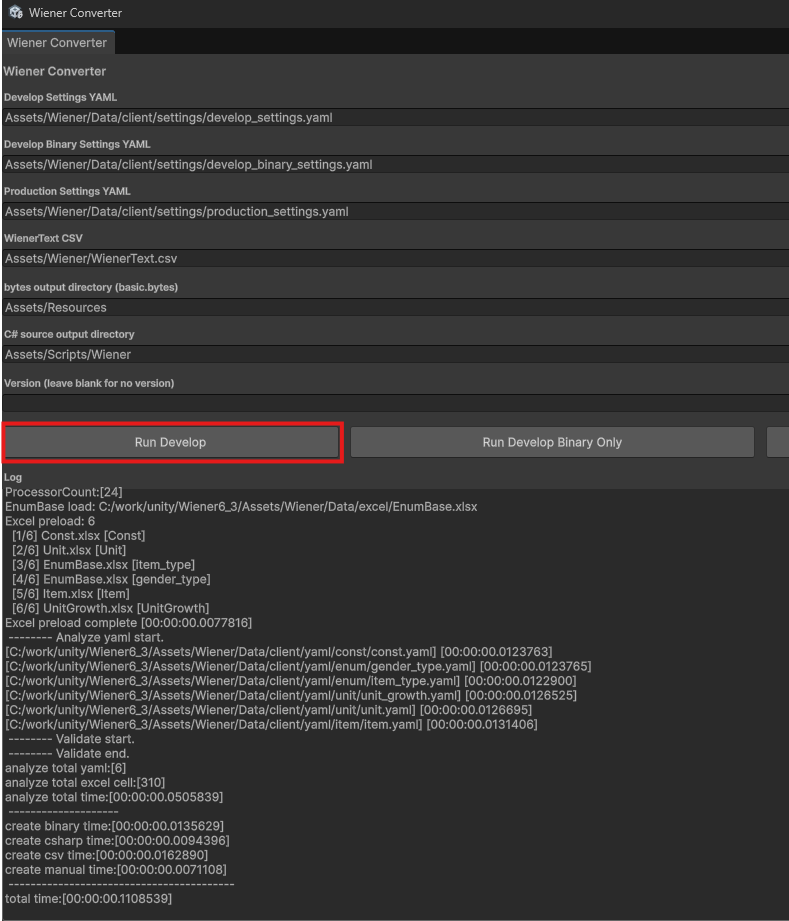
Tools > Wiener > Open Converterを選択してコンバータを開きます。
コンバート実行
Run Developを押下してコンバートを実行し、エラーが出ないことを確認します。
動作確認
以下のSample.csスクリプトを作成してシーンに配置し、正常にログが出力されることを確認してください。
Sample.cs
using System.Linq;
using UnityEngine;
using Wiener;
using WienerLib;

public class Sample : MonoBehaviour
{
    void Start()
    {
        var wm = new WienerManager();
        var textAsset = Resources.Load("basic") as TextAsset;
        var result = wm.LoadBasicPack(textAsset.bytes);
        if (result != Result.Success)
        {
            Debug.LogError($"Failed to load basic pack: {result}");
            return;
        }

        OutputUnit(wm, 4);
    }

    void OutputUnit(WienerManager wm, int level)
    {
        foreach (var unit in wm.Unit.Values)
        {
            if (!wm.UnitGrowth.TryGetValue(unit.GrowthPatternId, out var growths))
                continue;

            var growth = growths.FirstOrDefault(x => x.Level == level);
            if (growth == null)
                continue;

            var attack = unit.Attack * growth.AttackRatio / 10000;
            var defense = unit.Defense * growth.DefenseRatio / 10000;
            Debug.Log($"Id: {unit.Id}, Name: {unit.Name}, Attack: {attack}, Defense: {defense}");
        }
    }
}
実行結果

ID不整合のエラーを確認
Excelの設定
Unit.xlsxのgrowth_pattern_idを存在しないIDに設定します。
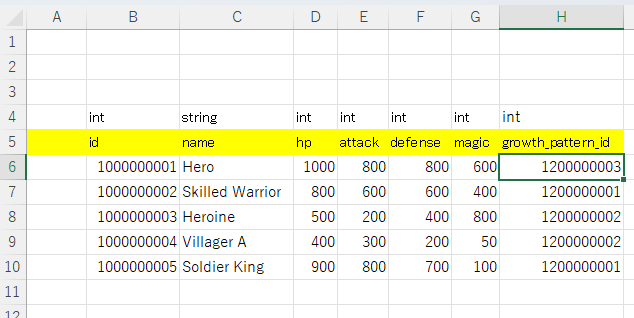
コンバートでエラーを検知
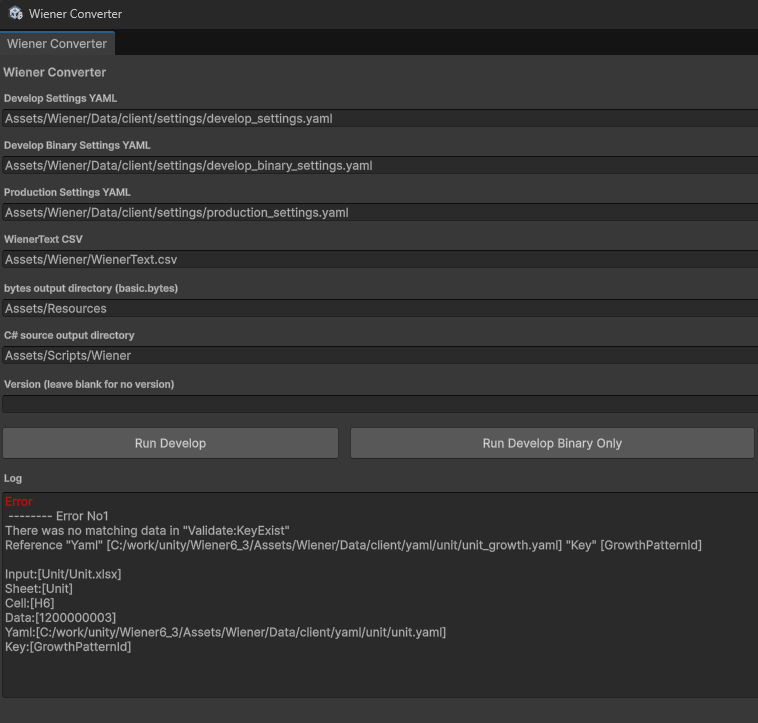
コンバートを実行して、エラー対象のExcel、Sheet、セル、データが出力されることを確認します。